
Douyin Covers and Product Images:Emotional ResonanceAnd the Banana Cup Hands-On

Douyin covers grab fast scrollers with “vertical 9:16 + raised focal point + large text + high-saturation contrast colors”; product images build trust with the four-part formula of “core subject + scene-based marketing + e-commerce fit + style details”, and the image reverse-engineering feature can even trace back to a design sketch.
What You’ll Take Away
Douyin Hands-On: The Emotional-Resonance Cover
A viral Douyin cover is the key to breaking a short video out of its traffic pool. The platform is built around a vertical feed; users browse fast and favor visuals with strong impact, high emotional intensity and a sense of suspense — so covers need a composition with the focal point raised and large, bold text marking the key hook or cliffhanger, letting viewers grasp the value within one second. Emotional covers focus on resonant moments and gut-punch copy to strike a chord quickly.
Step 1: open Puyo AI’s image generation interface, click the “Model” button, set the image model to “Puyo AI Standard”, and enter the prompt in the input box:
Douyin emotional resonance cover, silhouette of a figure by the window on a rainy night, cool color palette. Large white text in the center reads “An adult’s breakdown often happens in a single moment”. Somber tones, full of emotional weight, designed to evoke empathy from viewers.
How to: set the model to “Puyo AI Standard”, enter the prompt, set the ratio to 9:16, the resolution to 2K, and the number of images to 1, then click “Create”.
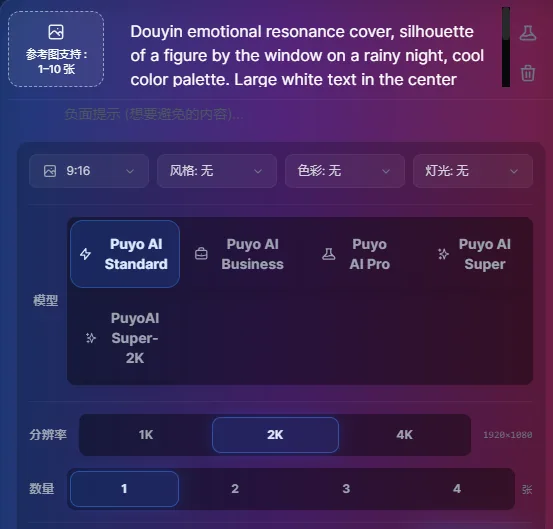

Figure 1-8: Emotional Cover — Three Layers of Empathy in Scene, Tone and Copy
This prompt has only four sentences, yet it is the complete structure of an emotional cover: the silhouette scene creates immersion, cool tones set the emotional base, the central text gives a shareable hook, and empathy words steer the generation. Short prompts are actually more reliable — emotional covers don’t need piled-up details, they need emotional intensity.
Four Douyin Cover Types: Talent, Comedy, Parenting and Classical Makeover
Beyond emotion, Douyin has four other high-traffic cover formulas:Talent CategoryAmplify the highlight performance moment and skill highlights to show professionalism and watchability;Comedy CategoryCapture exaggerated punchlines or twist moments to amplify the comedy;Parenting CategoryShow warm interaction scenes and playful details that appeal to family users;Classical Makeover CategoryHighlight the before-and-after contrast of the look and the Chinese-style texture:
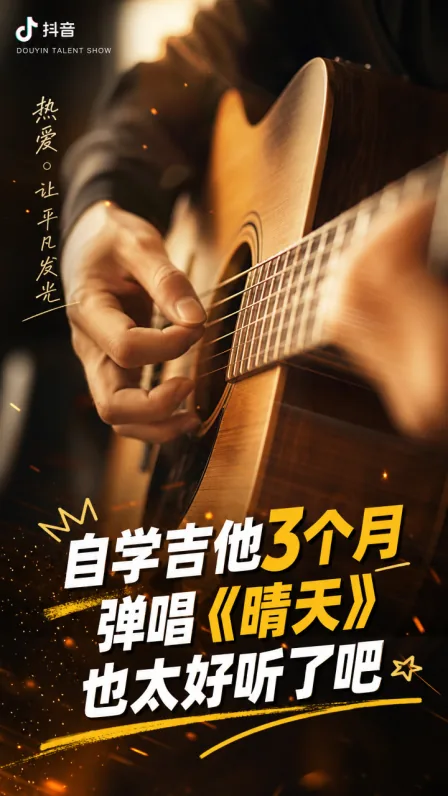
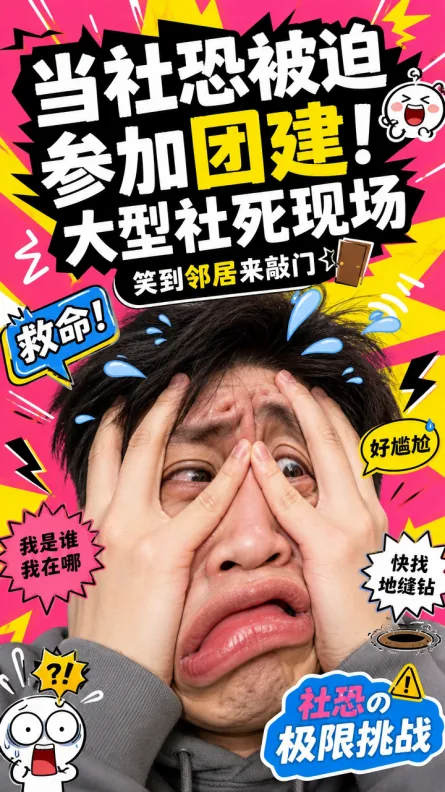
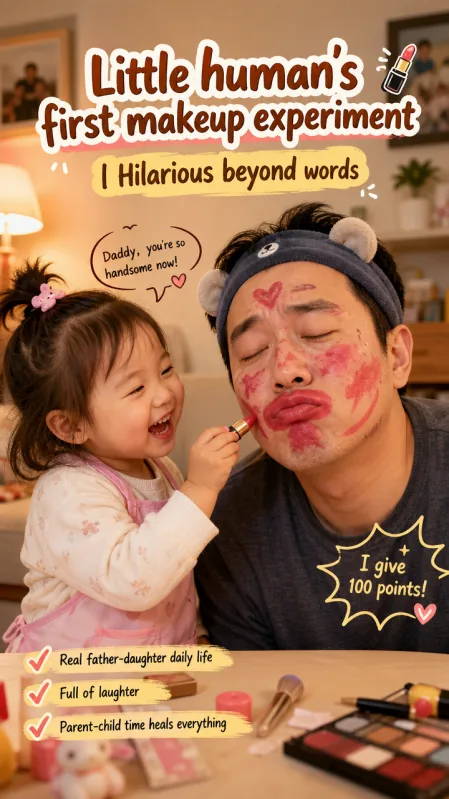
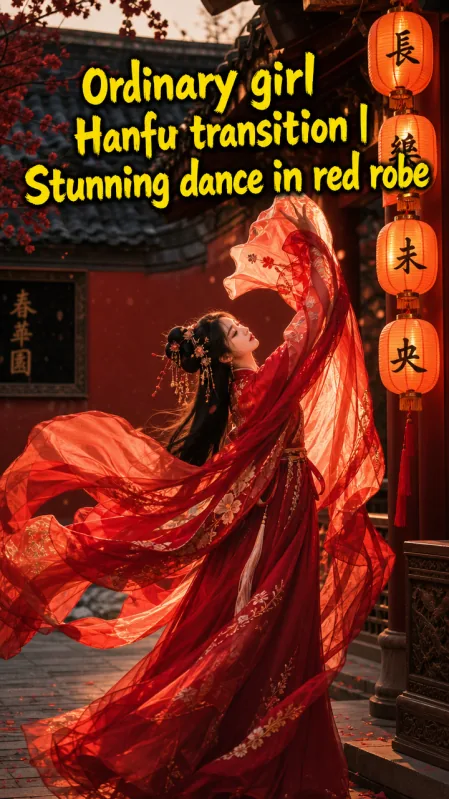
Figure 1-9: Four Douyin Cover Types — Four Hooks for “Attention + Empathy”
The E-Commerce Four-Part Formula and a Product-Image Hands-On
With covers done, we move into the e-commerce section. E-commerce images are key to driving orders: good ones show product value at a glance and build a buying scene. There are four techniques for writing e-commerce product prompts:Focus on the Core SubjectSpecify “product subject + visual proportion + emphasis method”, reinforce the subject with a solid-color background, a blurred scene or high-contrast lighting, and annotate the material texture;Scene-Based MarketingMatch scenes to product attributes (beauty products with a vanity table, outdoor gear with a mountain-climbing scene) and use color to set the mood;Match Your E-Commerce BrandUse a fixed formula of “main color + icon style + font” to keep every store image visually consistent;Recreate the Style DetailsSpecify the scene style, reproduce the product texture and add functional diagrams when needed. As a formula: core subject + scene-based marketing + e-commerce fit + style details.
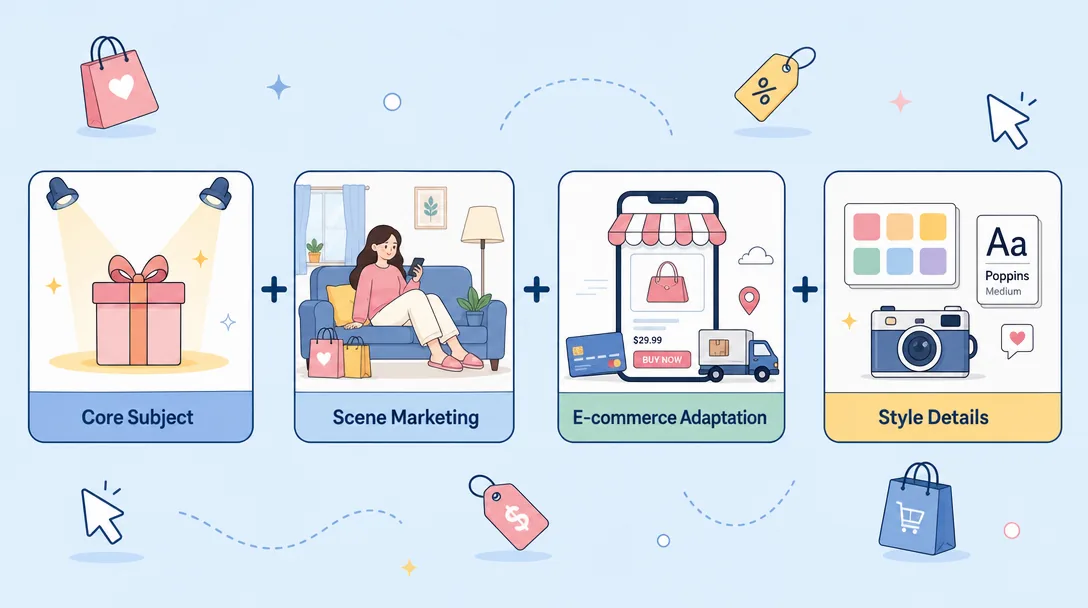
Let’s walk through a product-image hands-on using the hit cultural-creative item, the “banana cup”. Step 1: open Puyo AI’s image generation interface, click the “Model” button, set the image generation model to “Puyo AI Standard”, and enter the prompt in the input box:
The cup is pale yellow all over, with a short, chubby rounded shape and a tiny handle. Its surface is hand-painted with a cartoon smiling banana with blush marks. The rim is outlined with wavy white lines, and a tiny heart emblem is engraved on the cup bottom. It sits on a light beige wooden tabletop, lit by soft warm light. No extra decorations. The overall style is cute and soothing, highlighting the lovely texture of the ceramic cup and its dominant yellow tone, suitable for cultural and creative product display images.
Setup: set the model to “Puyo AI Standard”, enter the prompt, then set the ratio to 1:1, resolution to 2K, and image count to 1, and click “Create”.
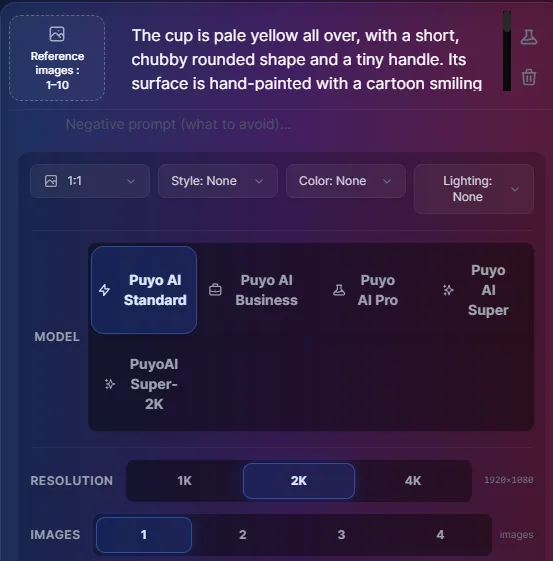
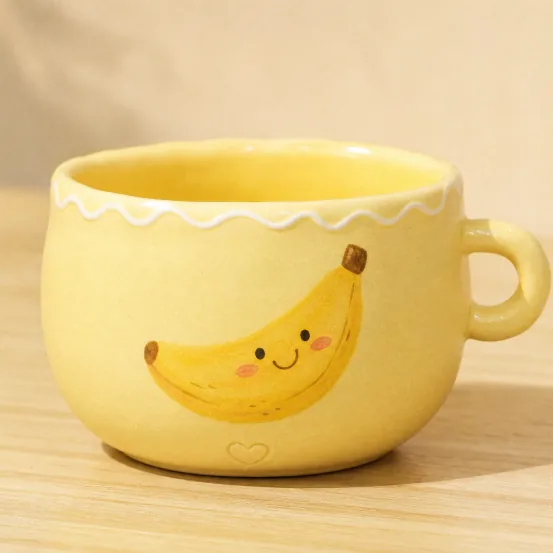
Figure 1-11: Banana Cup — A Detail-Checklist Description Makes the Product Cute Before It Sells
This prompt is a model of the “detail checklist” approach: shape (round and squat + a small handle), pattern (smiling banana + blush), outline (white wavy lines) and hidden detail (a heart at the bottom of the cup) are listed item by item, then “no extra decoration” removes distractions — a product image’s credibility comes from this part-by-part precision.
The Same Works for Other Categories:Aromatherapy CategoryEmphasize the fragrant ambiance and close-ups of product details to highlight a refined style;Bookmark CategoryShow the design craftsmanship paired with books to convey an artistic feel;Toy CategoryHighlight the cute shape and demonstrate the features;Car CategoryFocus on exterior lines and interior details for a professional texture:
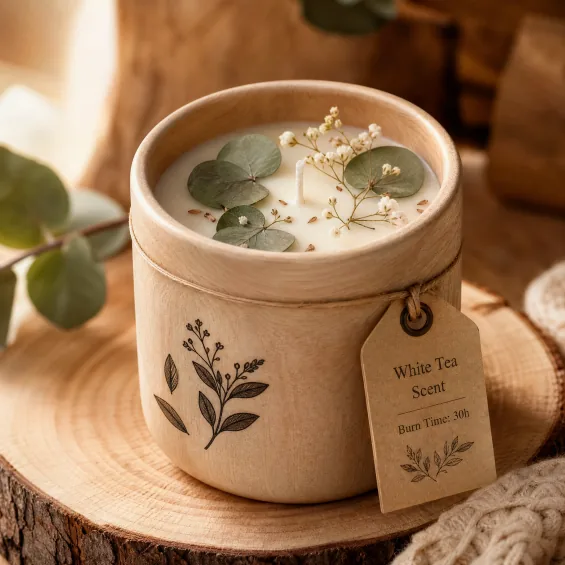
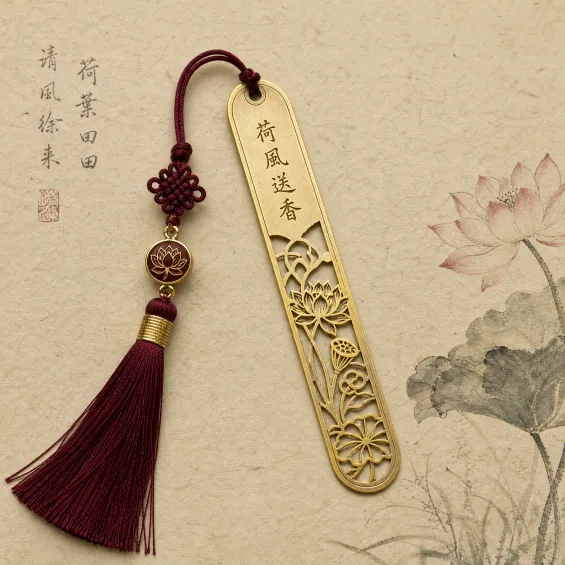
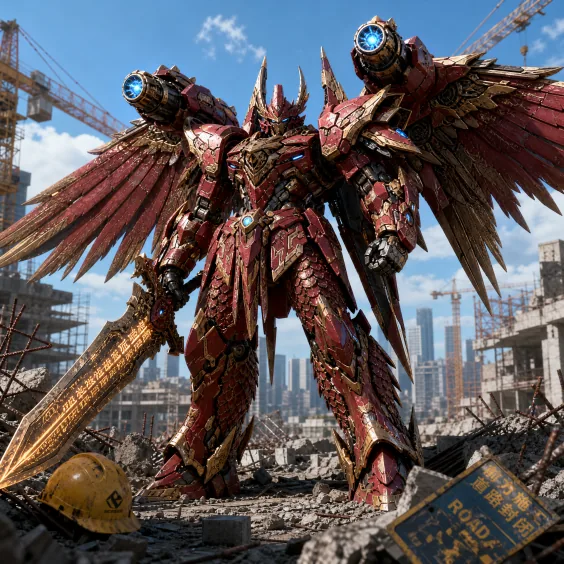
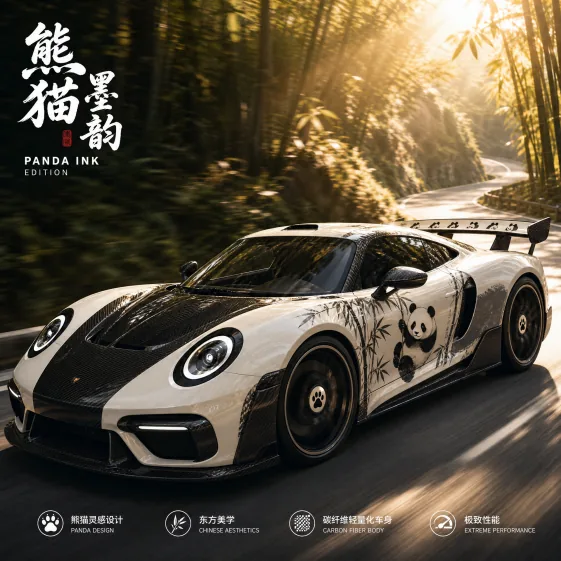
Figure 1-12: Four Product Image Types — Different Categories, Same Formula
Advanced Technique: AI Reverse-Engineers a Product Design Sketch
When analyzing trending products, e-commerce sellers can also have Puyo AI reverse-engineer product-related data from an image — “rewinding” a finished product photo into a design sketch. Step 1: open the image generation interface, set the image generation model to “Puyo AI Standard”, click the “Upload Image” button to upload the cup image just generated, then enter the prompt in the input box:
Generate a design draft based on the uploaded cup image. Retain the cup’s core shape, color and main features. Set against a light beige sketch paper background, outline the cup with pencil lines, keeping traces of erasures and re-drawing. Mark the dimension parameters of the cup beside it. No extra decorations. The overall look has a hand-sketched texture, highlighting the raw state of the initial product design draft.
Operation: set the model to “Puyo AI Standard”, upload the cup image, set the ratio to 1:1, resolution to 2K and image count to 1, then click “Create”.
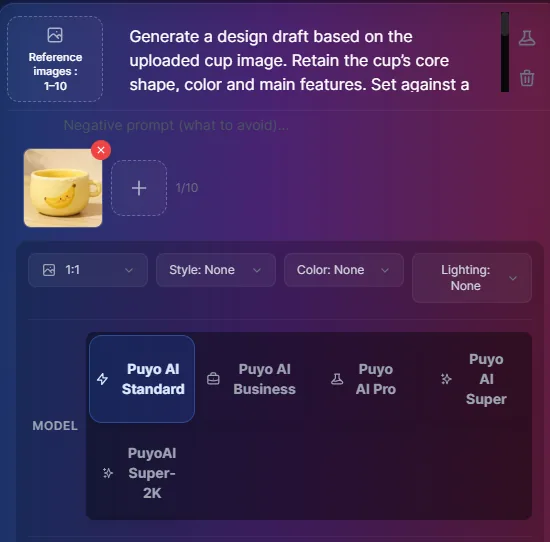
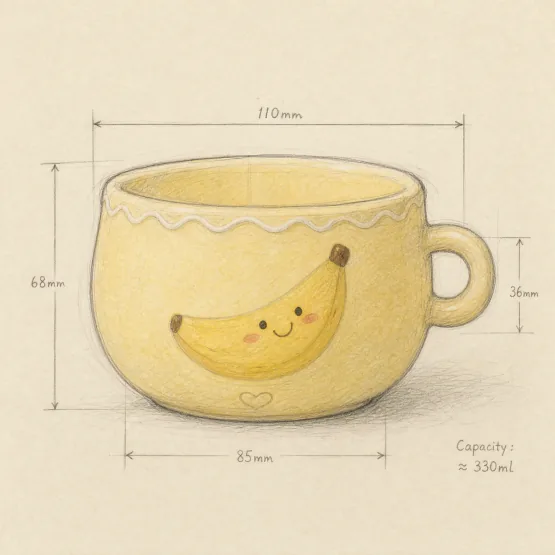
Figure 1-13: Image-to-Image Reverse Engineering — Turning a Finished Image Back into a Design Draft
The key line in this technique is “keep the cup’s core shape, colors and theme features” — lock down the constants first, then let AI improvise the medium (sketch paper, pencil lines, correction marks). The same approach works for analyzing competitors and reconstructing the logic behind hit designs. The next article continues the e-commerce chain with multi-angle display images and lifestyle scene images.
FAQFrequently Asked Questions
The questions beginners ask most about this guide
Why Do Douyin Covers Stress Vertical Format and Large Text?
It Comes Down to Browsing SpeedDouyin is built around a vertical feed and users scroll fast, so covers need a composition with the focal point raised, plus large, bold text marking the key hook, letting viewers grasp the value within one second; 9:16 is the default frame.
How Do You Create the “Gut-Punch” Feel in an Emotional Cover?
The Scene + Tone + Copy TrioA figure silhouette by a rainy-night window is the resonance scene, cool tones hold the mood down, and large white text in the center carries the hard-hitting copy — a line like “Adults can fall apart in a single moment” becomes the visual subject itself.
What are the key points of a product-image prompt?
Focus on the Core Subject + Material TextureWrite out “product subject + visual proportion + emphasis method”, annotate the material (e.g., ceramic glaze, matte finish), remove distractions with a solid-color background or a blurred scene, then match the scene to the product attributes to spark purchase associations.
Can AI reverse-engineer a design sketch from a finished product photo?
YesUpload the generated cup image and let AI reverse-engineer a pencil sketch while “keeping the core shape, colors and theme features”, retaining correction marks and dimension annotations — especially useful for analyzing trending e-commerce products and reconstructing design ideas.
What does it mean for a product image to fit an e-commerce style?
Consistent Store-Wide VisualsUse a fixed formula of “main color + icon style + font” to keep all store images consistent (e.g., minimalist or China-chic style) and strengthen brand recognition — a coherent series is more recognizable than a single pretty image.
How Do You Capture Texture in Toy and Car Product Images?
Toys Highlight Cute Shapes and Feature DemonstrationsAttract the target audience;Cars Focus on Exterior Lines and Interior DetailsBring out a professional texture — specify the material and lighting terms and the quality shows through.
About the Author: Julia, Veteran AI Image Creator
I have long used AI image generation tools for platform covers, e-commerce images and content visualization, and have guided many complete beginners. Every case, prompt, setting and screenshot in this article comes from real generation records on the Puyo AI platform — not theory, not stitched-together stock material. After product images, the next article moves on to multi-angle display images and lifestyle scene images, continuing the e-commerce image chain.
Content adapted and polished from the original material “From Novice to AI Art Pro | Complete Hands-On Tutorial Collection”, with all original prompts and figures preserved. Source: https://www.puyoai.com。
Covers First, Products Next
Open the Puyo AI website, use the emotional-cover trio to write your own gut-punch moment, or create a product image for your own item.
Results are affected by model version and randomness—the same prompt will vary slightly each time it runs; run it a couple of rounds before drawing conclusions.