
Marketing Campaign Images and Emotional Story Illustrations:Promotional ConversionAnd the Emotional-Resonance Hands-On
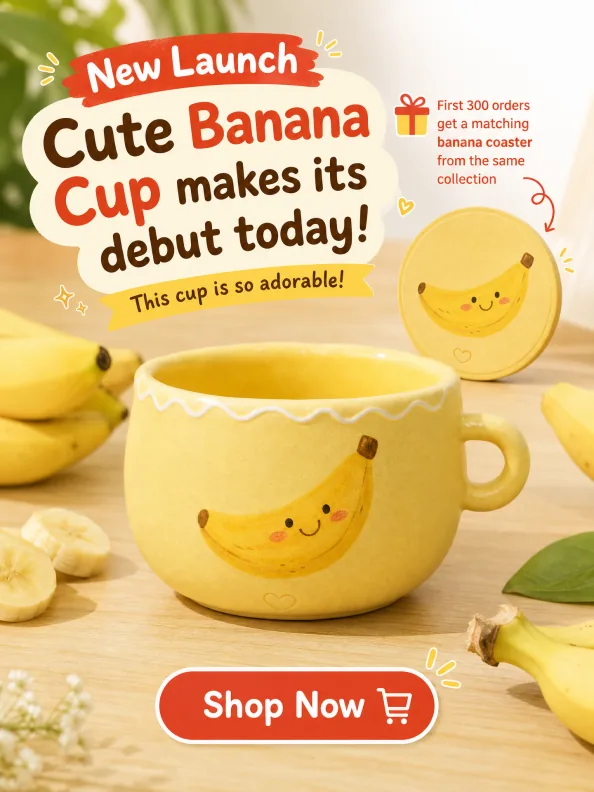
The key to a marketing campaign image is “clear information + fitting atmosphere”: write out the campaign details (debut copy, gift mechanics, button) item by item, then use color and elements to create a buying rush. The key to an emotional illustration is “emotional beat + color synergy”: capture the core scene, using low-saturation cool tones for sadness and soft warm tones for warmth.
What You’ll Take Away
Marketing Campaign Image Hands-On: The Banana Cup Launch
A marketing campaign image is the visual medium that delivers campaign information and drives conversions in e-commerce — it grabs attention with strong visual impact, quickly conveys the core message and sparks participation. It must precisely match the campaign tone and user psychology: distill the core information clearly while using theme-matched colors, atmosphere elements and composition to create urgency or a festive buzz. Let’s continue with the banana cup for a new-arrival campaign image hands-on.
Step 1: open Puyo AI’s image generation interface, click the “Model” button, set the image model to “Puyo AI Standard”, and enter the prompt in the input box:
Marketing copy: “Cute Banana Cup makes its debut today! This cup is so adorable!” Background: Designed for the “New Launch” banner on the e-commerce homepage. The backdrop features a light wooden tabletop decorated with fresh bananas as props. At the top right of the banner, red text reads “First 300 orders get a matching banana coaster from the same collection”. A floating “Shop Now” button sits at the bottom, creating an online shopping atmosphere of grabbing this cute item early.
Operation: set the model to “Puyo AI Standard”, enter the prompt, set the ratio to 3:4, resolution to 2K and image count to 1, then click “Create”.
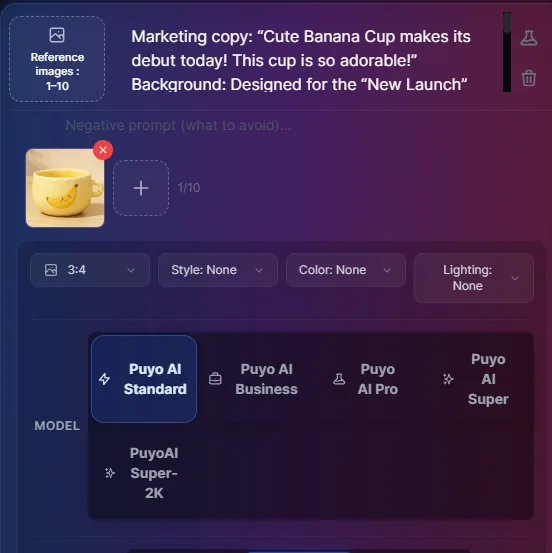
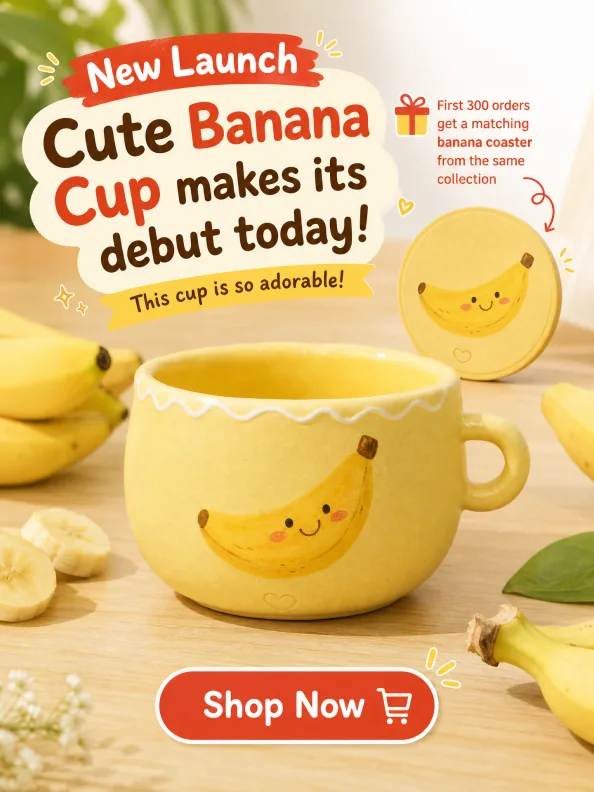
Figure 1-18: New Product Launch Image — Four Layers of Information (Copy, Props, Gift and Button) Each in Its Place
A marketing campaign image prompt is an “information checklist”: headline copy (Debut Today), scene props (light wood tabletop + fresh bananas), scarcity mechanic (first 300 get a free coaster, in red + top-right corner), call to action (try-it-now button, floating + at the bottom) — every item has content and a position, so the image AI lays out carries a conversion logic.
Four Campaign Image Types: 618, Membership, Holiday and Bundles
Beyond new arrivals, four campaign image types each have their own design logic:618 CategoryFocus on discount depth and campaign mechanics to draw shoppers’ attention;Membership CategoryShow exclusive perks and benefits to boost member loyalty;Holiday CategoryBlend festive elements with the campaign theme to build atmosphere;Bundle-Deal CategoryClearly present the bundle contents and value-for-money advantage to drive orders:
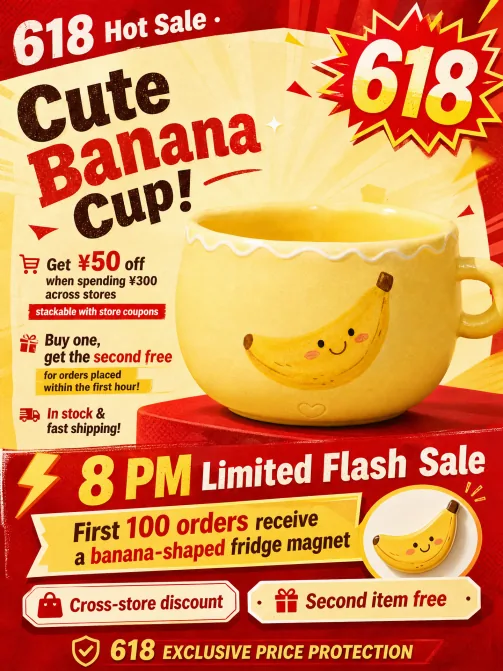
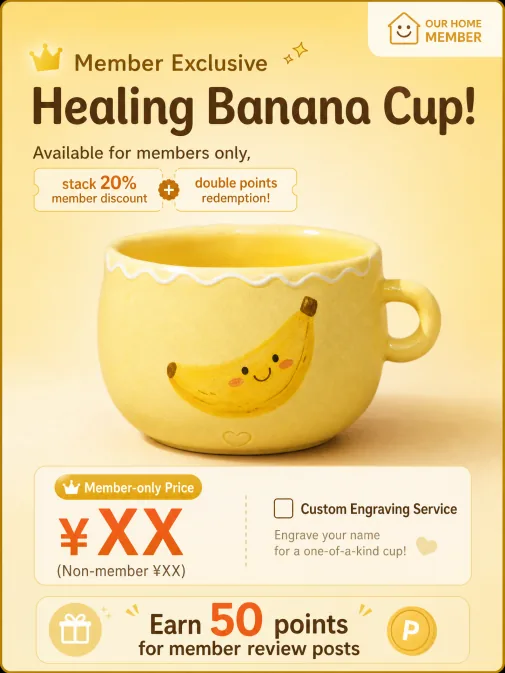

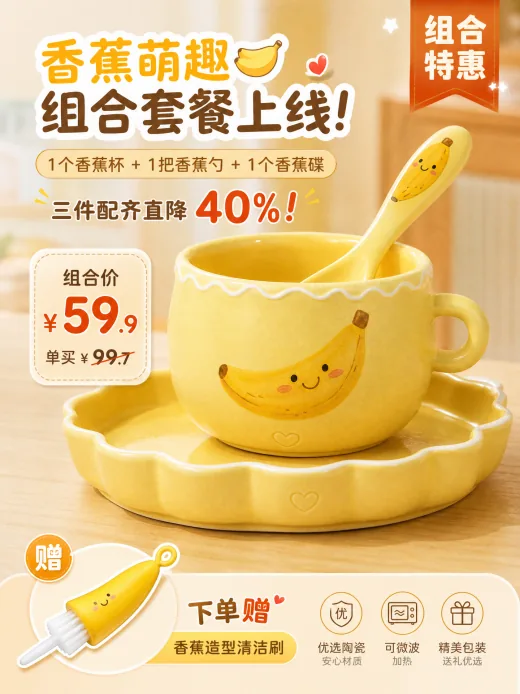
Figure 1-19: Four Campaign Image Types — Different Tones, the Same Information-Checklist Structure
The Four-Part Content Visualization Formula
Plain text easily becomes long and dull, while content visualization makes information more intuitive and engaging. Puyo AI’s content conversion turns all kinds of text into vivid illustrations for article images, video assets, social posts and more. Beginners can just apply this formula:Image Scene Positioning + Core Visual Instructions + Style Parameters + Detail-Control RequirementsBut note that only by tying every step of the formula to your creative goal and the traits of the content platform can you generate an image that truly fits.
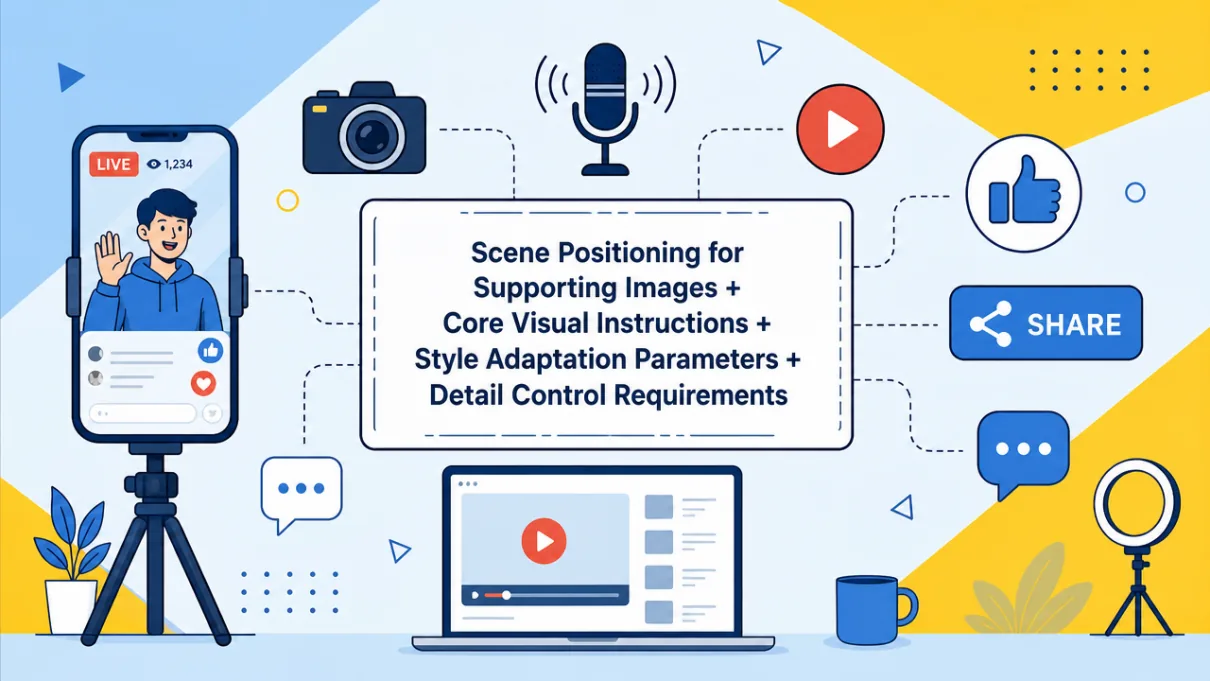
Image Scene Positioning: define the image’s self-media use and target platform (Xiaohongshu store-review posts, Douyin tutorial covers, WeChat emotional-article illustrations), and lock the direction against core needs like attracting clicks, aiding understanding and strengthening atmosphere;Core Visual Instructions: clearly describe the subject, key action or core message (e.g., “milk tea being pulled”, “an office worker at a desk”) to lock the visual focus concisely;Style Parameters: choose a style based on the content tone and platform (Instagram style, Chinese-style, tech style), and make sure it matches the content’s mood — warm-light filters for healing pieces, minimalism for practical how-tos;Detail-Control Requirements: reserve space for the title, limit the number of colors, remove extra elements and highlight key textures (food gloss, fabric grain).
Emotional Story Illustration Hands-On: Grandma’s Dumplings
The core value of an emotional story illustration is amplifying a story’s emotional tension through scene atmosphere and characters’ expressions, so readers quickly step into the plot. Stay close to the core scene or the key emotional beat, and convey mood through light, color and composition — sad stories use low-saturation cool tones, warm stories use soft warm tones. Let’s do a family-themed hands-on next.
Step 1: open Puyo AI’s image generation interface, click the “Model” button, set the image model to “Puyo AI Standard”, and enter the prompt in the input box:
An old kitchen scene. Beside the mottled cement stove, a grandmother’s wrinkled hands teach her granddaughter to make dumplings. Boiling water steams in the pot, and pickled vegetable jars sit on the windowsill. Warm brown tones build a nostalgic atmosphere. Light brown text at the bottom center reads “Grandma’s dumplings hold a lifetime of tenderness”. The background is blurred to emphasize the main subject. Warm and healing style, the lifelike details awaken childhood memories, appealing to audiences who value family affection.
How to: set the model to “Puyo AI Standard”, enter the prompt, set the ratio to 16:9, the resolution to 2K, and the number of images to 1, then click “Create”.
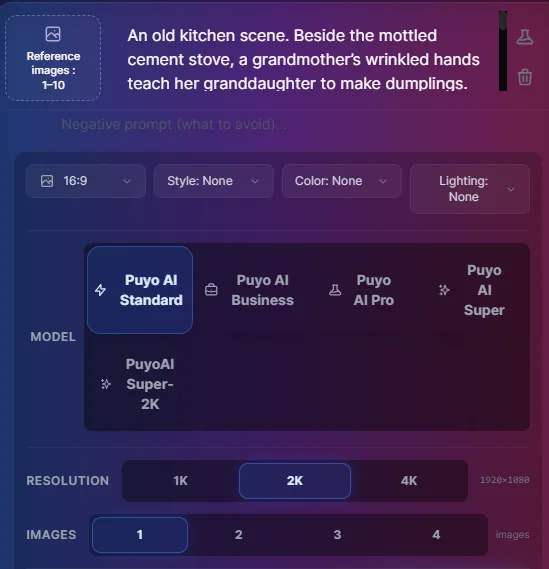
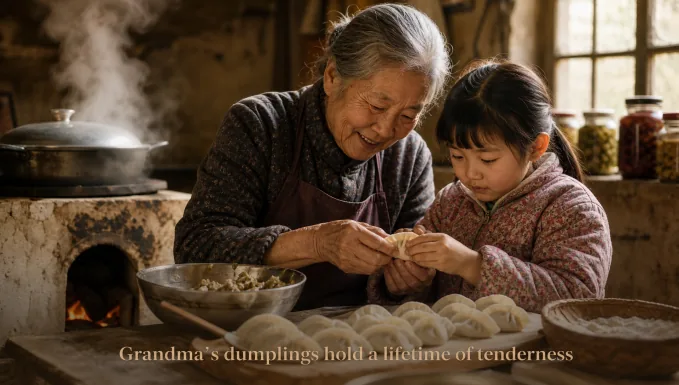
Figure 1-21: Emotional Illustration — Wrinkled Hands + a Steaming Pot, Where Detail Becomes Emotion
Unlike the information checklist of a marketing image, an emotional image’s prompt is an “emotion checklist”: a worn stove, wrinkled hands, steam from boiling water, a pickle jar — every detail is a thread to a memory; warm brown tones carry the nostalgia, light brown text drives the point home. The picture never says “moving”, yet every detail is moving.
Other emotional themes each have their own focus:Graduation CategoryFreeze a campus commemorative scene with a youthful atmosphere to carry the emotion of growing up;Companionship CategoryCapture the healing details of everyday companionship with pets or friends to highlight a warm bond;Solo-Living CategoryShow the ease and healing of time alone to spark resonance;Reconciliation CategoryConvey a tender moment after letting go that touches the soft spot in the heart:



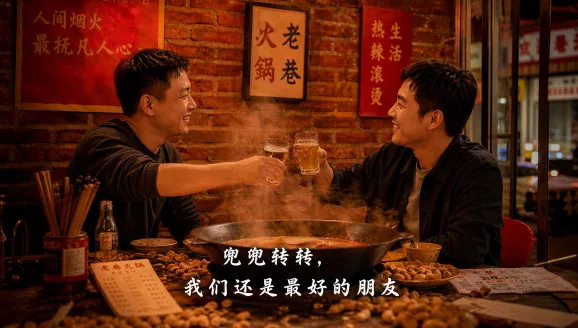
Figure 1-22: Five Emotional Illustration Types — Different Emotional Beats, Cool and Warm Tones in Sync
With the marketing and emotion threads done, content visualization has two “hardcore” themes left — knowledge explainers and fiction stories — and the next article wraps up the entire content creation section.
FAQFrequently Asked Questions
The questions beginners ask most about this guide
What Is the Biggest Difference Between a Marketing Campaign Image and a Product Image?
Different PurposesA product image says “what the product is”, a campaign image says “what you gain by buying now” — it must clearly distill the core campaign information (discounts, mechanics, gifts) and use colors and composition matched to the theme to create urgency or a festive buzz.
How Do You Arrange Promotional Info on a Campaign Image Without Clutter?
Specify Each Position Item by ItemIn the example, “a red launch-gift notice in the top-right corner” and “a floating try-it-now button at the bottom” — because every piece of information has a defined form and layout position, AI won’t pile the copy into a mess.
How Do 618 and Holiday Campaign Images Differ in Their Prompt Writing?
618 Focuses on Discount Depth and Campaign Mechanicsto attract price-sensitive shoppers;Holiday Images Blend Festive Elements with the Campaign Themeto build atmosphere — the former values clear mechanics, the latter the right mood. Membership images show exclusive perks to boost loyalty, while bundle images highlight value for money.
What Is the Content Visualization Formula?
The four parts: “image scene positioning + core visual instructions + style parameters + detail-control requirements”Every step must connect to the creative goal and platform traits — scene positioning locks the use case, visual instructions lock the focus, style parameters lock the tone, and detail control locks how well it spreads.
How Do You Choose a Color Tone for an Emotional Illustration?
Follow the Story’s EmotionSad stories use low-saturation cool tones, warm stories use soft warm tones — let the visual elements work in emotional sync with the text, so readers feel the mood before they even read a word.
How Do You Write Moving Details into a Family Illustration?
Write “Life as It Happens”A grandmother’s wrinkled hands teaching her granddaughter to fold dumplings, steam rising from a pot of boiling water, a pickle jar on the windowsill — these everyday details evoke childhood memories far more movingly than simply drawing a smiling face.
About the Author: Julia, Veteran AI Image Creator
I have long used AI image generation tools for platform covers, e-commerce images and content visualization, and have guided many complete beginners. Every case, prompt, setting and screenshot in this article comes from real generation records on the Puyo AI platform — not theory, not stitched-together stock material. After emotional illustrations, the next article moves into knowledge-explainer and fiction-story illustrations, wrapping up the content visualization section.
Content adapted and polished from the original material “From Novice to AI Art Pro | Complete Hands-On Tutorial Collection”, with all original prompts and figures preserved. Source: https://www.puyoai.com。
Make an Image That Speaks for Your Campaign
Open the Puyo AI website, swap the new-launch information checklist for your own campaign, and generate a high-converting campaign image.
Results are affected by model version and randomness—the same prompt will vary slightly each time it runs; run it a couple of rounds before drawing conclusions.