How to Make AI Viral Covers:The Universal Formulaand Bilibili Cover Hands-On Practice
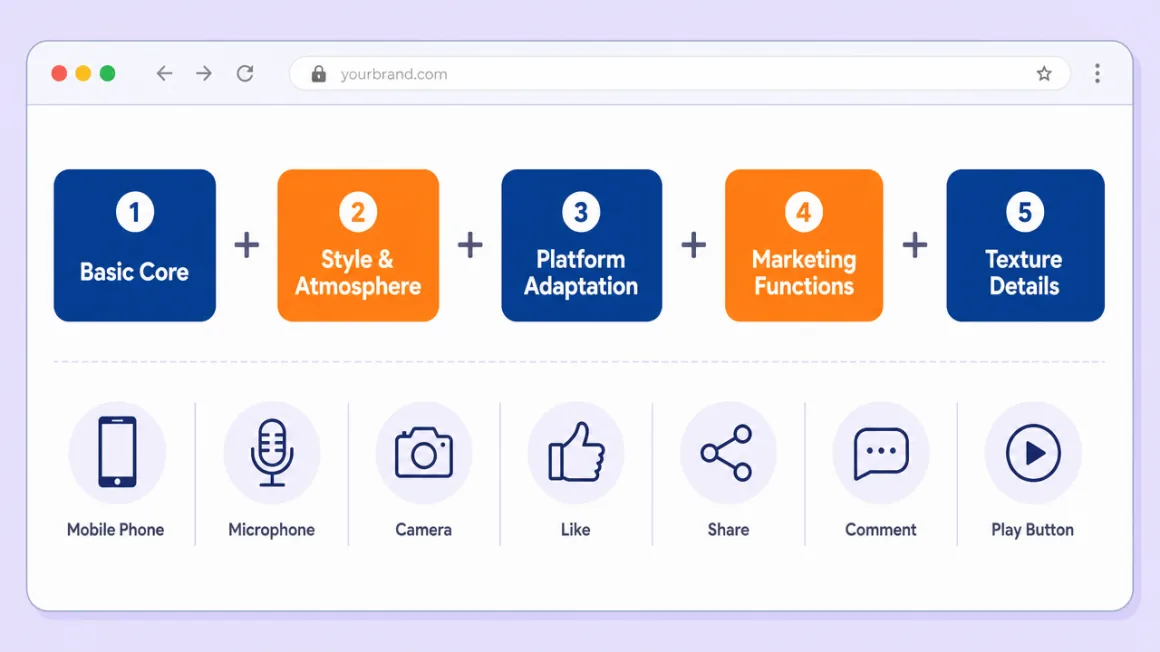
At the heart of a viral cover is the five-part universal formula: the basic core sets the subject, style and atmosphere set the tone, platform adaptation sets size and layout, marketing functions set the information placement, and texture details create the gap. Write all five, then swap style tags by platform, and covers for Bilibili, Xiaohongshu, Zhihu, and Douyin all land in one pass.
What You’ll Take Away
Why Do Covers Decide Traffic
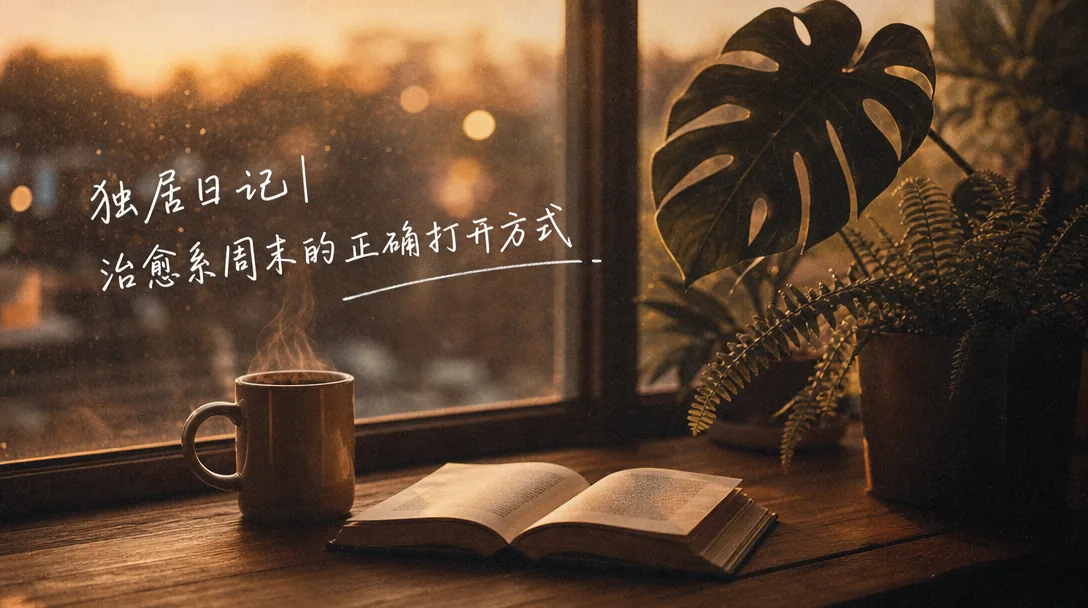
Great images are what push content beyond its circle. Whether it’s a platform cover, a content illustration, or an e-commerce promo image, eye-catching visual design makes content grab attention fast. And the cover is the “first gate”—it’s the content’s “calling card,” directly deciding whether a user is willing to click through. A viral cover is the key to breaking through the traffic barrier. Puyo AI lets anyone create scroll-stopping covers with no design background, covering Bilibili, Xiaohongshu, Zhihu, and Douyin.
The Five-Part Universal Formula: From Core to Texture
Creating a viral cover means controlling visual focus, emotional mood, platform fit, and marketing attributes precisely through a prompt. There are five actionable core techniques:Extreme Emphasis on the Basic Core—open with “core subject + visual weight + how it stands out” so the AI renders the most attractive element first;Anchor the Style and Atmosphere Precisely—define the visual style with “subject style + sub-style tags + mood keywords”—for a knowledge cover, for example, “minimal business style + cool tones + professional and rigorous”;Parameterize Platform Adaptation—choose the size before generating, write the layout logic and feed-adaptation requirements into the prompt, and state any blank space needed up front;Place Marketing Elements Naturally—fold “core title + key information + layout position” into the prompt;Describe Texture and Detail Finely—name the image texture and detail effects, and specify the palette and contrast so the cover reads clearly in both light and dark feeds.
Organize all of that into a formula and you get a universal cover formula beginners can apply directly:
Bilibili Hands-On: An Anime-Style Explainer Cover
Bilibili gathers a young audience that prefers vivid, high-impact, emotionally charged visuals. A strong cover uses a striking subject as its focal point, pairs it with saturated color or high-contrast lighting, labels the core hook with concise, punchy text, and matches styles like anime, trendy, or minimalist. Below is a complete walkthrough using an explainer cover.
Step 1: open Puyo AI’s image generation interface, click the “Model” button, set the image model to “Puyo AI Standard”, and enter the prompt in the input box:
How to: set the model to “Puyo AI Standard”, enter the prompt, set the ratio to 16:9, the resolution to 2K, and the number of images to 1, then click “Create”.
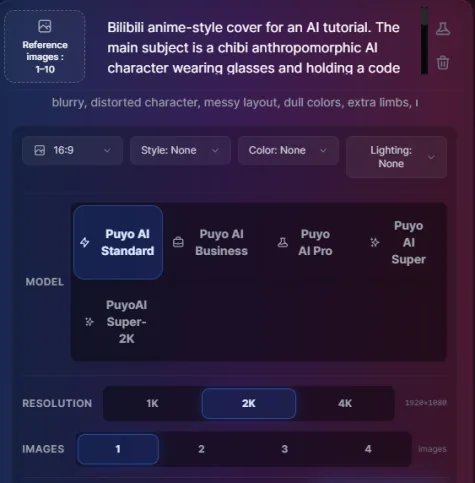
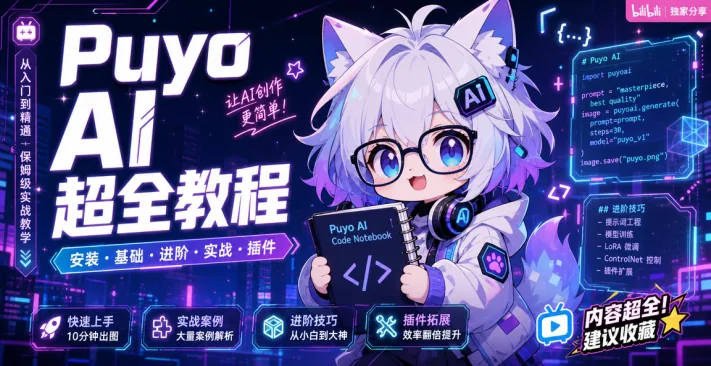
Figure 1-2 Bilibili explainer cover: subject, background, text, and mood all working together
Read this prompt against the formula: the core subject segment (chibi anthropomorphic AI mascot) and style segment (blue-violet cyberpunk gradient) come first; the marketing segment (vertical bold white title on the left) specifies the layout position; the texture segment (vivid color, cuteness meeting tech) closes it out—with all five segments complete, the result’s information hierarchy is clear at a glance.
Four Bilibili Content Cover Types: Gaming, Science, Crafts, and Vlogs
Beyond explainers, Bilibili has four more high-traffic content cover logics:GamingUses visual impact and a highlight-reel moment to match what players pay attention to;ScienceAnchor the key concept with a suspenseful question that sparks curiosity;CraftsHighlight the creative payoff or a before-and-after contrast to bring out the fun of making things;Lifestyle Vlog uses warm, everyday details to connect with ordinary life and make the content more relatable:
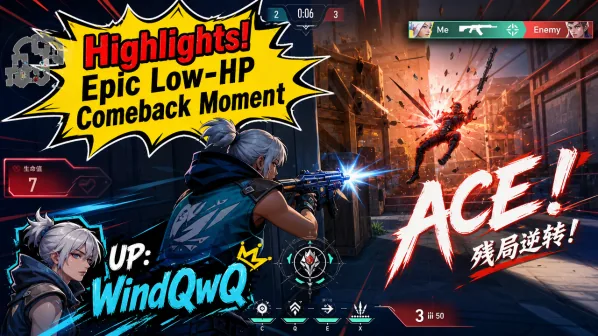
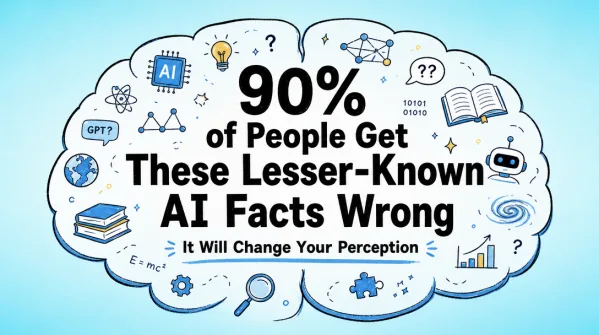
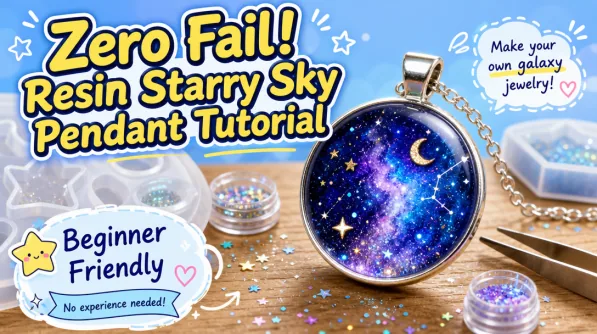
Figure 1-3 Four Bilibili cover types: the same formula, a different emotional hook per content type
Of the four major platforms, Bilibili is done. Next come Xiaohongshu and Zhihu—one wants “refined atmosphere,” the other “professional information density.” The formula stays the same; each platform segment has its own way of writing.
FAQFrequently Asked Questions
The questions beginners ask most about this guide
I can’t design—can AI still make a competitive cover?
Yes. Puyo AI covers every kind of scene illustration in one place with no design background needed—write “subject, style, size, title, texture” clearly with the five-part formula and anyone can make covers that stop the scroll.
What Should the First Line of a Cover Prompt Say?
Write the Core Subject. Open with the “core subject + visual weight + how it stands out” format—for example, “a chibi anthropomorphic AI mascot as the subject.” Locking the basic core up front makes the AI render the most attractive element first, so it grabs viewers at a glance.
Do cover prompts differ much between platforms?
Same Framework, Different Platform Segment. The five-part formula is universal, but size ratios (Bilibili 16:9, Xiaohongshu 3:4, Douyin 9:16) and style tags must be swapped to match each platform’s tone; later pieces in this series cover them one by one.
Is the text on the cover added by the AI during generation?
Yes—Just Write It Into the Prompt. Describe it in the “core title + key information + layout position” format—for example, “a vertical bold white title on the left”—and the AI will place the text within the image, balancing visual appeal with marketing function.
How do you make a cover stand out in the feed?
State the Contrast and Palette Requirements. Specify the palette and contrast to boost the cover’s recognizability in the feed, making sure it reads clearly against both light and dark feed backgrounds; saturated color and high-contrast lighting are universal techniques.
What if I need blank space reserved for the title?
State It Up Front in the Prompt. Write “reserve space for the title” or “leave the top blank” in the platform adaptation segment, or you’ll only discover the layout failed after generation and have to rerun.
About the Author: Julia, Veteran AI Image Creator
Years of using AI image tools for platform covers, e-commerce visuals, and content visualization, and of guiding complete beginners. Every case, prompt, setting, and screenshot in this article comes from real generation records on the Puyo AI platform—not theory, not stitched-together stock material. This piece is the master guide to the Content Creation chapter; next come hands-on cover cases for Xiaohongshu and Zhihu.
Content adapted and polished from the original material “From Novice to AI Art Pro | Complete Hands-On Tutorial Collection”, with all original prompts and figures preserved. Source: https://www.puyoai.com。
With the Formula in Hand, Start with a Bilibili Cover
Open the Puyo AI website, swap the tutorial topic for your next video, and generate a cover with a solid click-through rate.
Results are affected by model version and randomness—the same prompt will vary slightly each time it runs; run it a couple of rounds before drawing conclusions.