
Dream Recreation and Game Character Design: Two Prompt Sets for Lifestyle & Fun
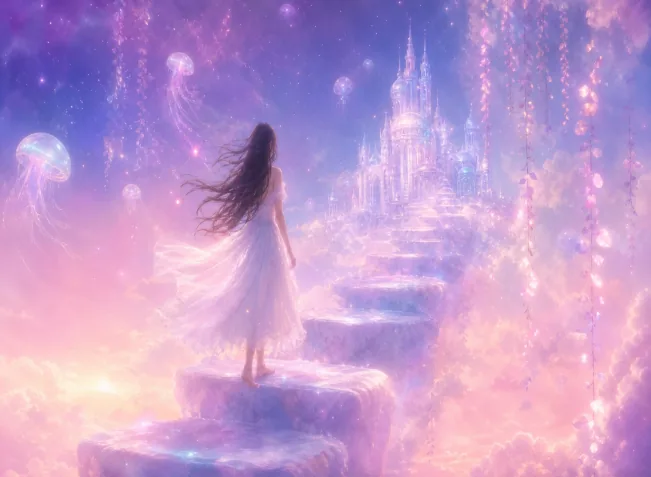
Dream recreation: build the dream feel with the three keyword groups “soft-focus hazy texture + watercolor wash + no clear outline lines”, ratio 16:9, resolution 2K; game character design: write the subject fully as “chibi black-haired little girl + lion-dance hat + Chun-Li outfit + mechanical joints”, lock the character sheet with “three-view drawing, consistent character design”, ratio 4:3, resolution 2K.
What You Will Take Away From This Guide
Dream Recreation: Painting Last Night’s Dream Back
Life is full of dreams you want to keep the moment you wake: the scene too beautiful, the atmosphere too perfect—gone the instant you open your eyes. Puyo AI can pull it back. The trick for dream prompts is big strokes over small: write the scene, characters, and floating objects you remember concretely, and hand the half-remembered details to “soft-focus haze”. This prompt breaks the dream’s elements down finely:
Recreating my last night's dream: The scene is presented with a soft-focus, hazy texture. A girl stands barefoot on floating cloud steps, wearing a white tulle dress, her hair gently blowing in the breeze. The background is a pink-purple gradient sky, dotted with glowing transparent jellyfish and sparkling star-like dots. In the distance stands a glass-like sky castle, and glowing vines hang down beside the steps. The overall tone is dreamy and soft, with watercolor wash effects, no clear outline lines, creating a surreal dreamlike atmosphere—details are blurred yet full of poetry.
Click “Copy Prompt” at the top right of the card to copy the whole thing, then paste it straight into the generation interface.
For this example the model is Puyo AI (dreams leave more room for imagination); the rest as usual: ratio 16:9, resolution 2K, count 1 image, click “Create”:
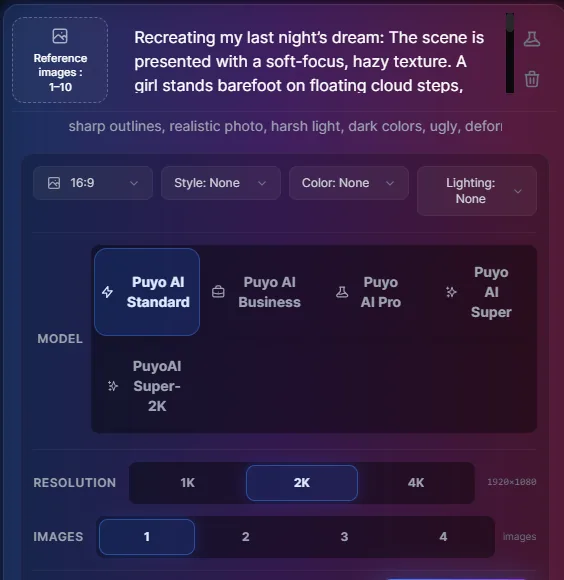
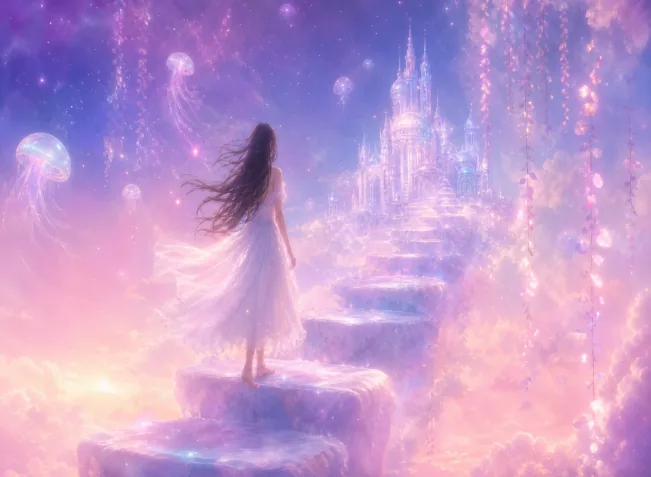
Fig 1-21 Dream recreation: from input to image
“Soft-focus hazy texture”, “watercolor wash effects”, and “no clear outline lines” are the dream-feel trio—missing any one of them and the image becomes an ordinary illustration instead of a dream.
Game Character Design: Sculpting a Chibi Character from Zero
The second playstyle is game character design. Writing a character prompt is like filling in a design sheet: theme and build, outfit and props, material and structure, background and lighting, output format—write each item out fully and the AI will not improvise. This prompt designs a chibi little girl wearing a lion-dance hat:
Full-body Q-version little girl with black hair, cute, wearing a felt lion dance head hat which is gorgeous and majestic. Dressed in Chun-Li costume with mechanical structures at joints. White background, beautiful volumetric light. Exquisite facial features, master artwork, C4D render, three-view drawing, consistent character design.
When switching characters, keep “three-view drawing, consistent character design” and only replace the theme and outfit descriptions.
Parameters: model Puyo AI Standard, ratio 4:3, resolution 2K, count 1 image, click “Create”:
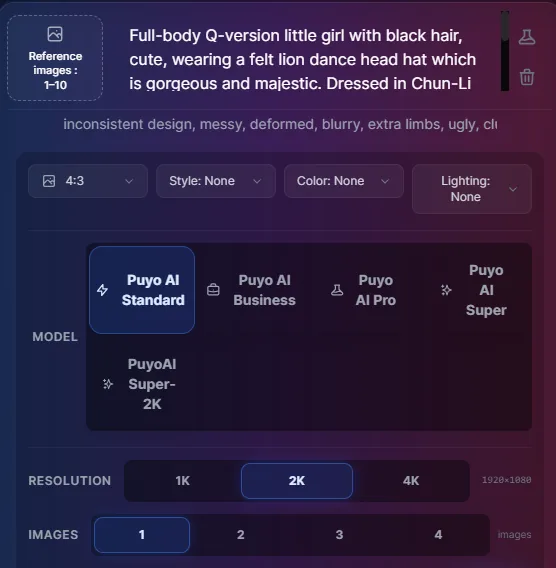
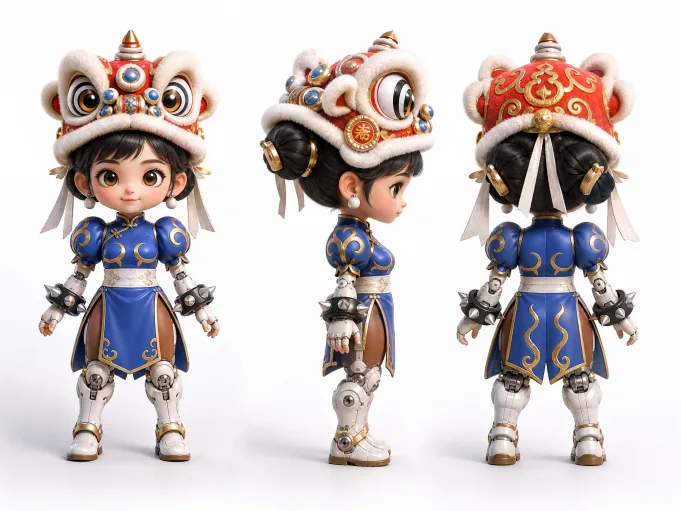
Fig 1-22 Game character design: from input to image
“Three-view drawing” and “consistent character design” are the anchors of a character sheet—without them you get a single standing illustration; with them, a character baseline you can keep drawing from.
Extending the Playstyles and Series Wrap-Up
Both playstyles extend outward: dream images swap scenes (space capsule, seabed, old classroom), character design swaps themes (mecha girl, wuxia swordsman, forest sprite)—skeleton unchanged. If the output drifts, go back to Part 3, Write Your First AI Art Prompt, and fix it with instruction iteration and negative prompts; if you forgot the formula, return to Part 1, The Universal AI Art Prompt Formula.
And here the six-part series concludes: formula (Part 1) → styles and parameters (Part 2) → first prompt and refinement (Part 3) → social media (Part 4) → work & study (Part 5) → lifestyle & fun (this one). The road from “knowing how to say it” to “knowing how to make it” is now fully walked—what remains is turning new ideas into new prompts, again and again.
FAQFrequently Asked Questions
The questions beginners ask most about this guide
What if I cannot remember all the details of my dream?
Just capture the general atmosphere. Paper over half-remembered details with words like “hazy” and “soft”—this actually matches how dreams naturally lose focus; don’t invent details out of thin air, the invented parts will feel jarring.
What is a three-view drawing? What is it for?
It is the front, side, and back view sheets of the same character. Once you add the “three-view drawing” keyword, the AI outputs a multi-angle design set—the anchor for character consistency and for setting the baseline for all later generations.
The generated character does not match what I imagined—what now?
Fix it with instruction iteration. Review instruction iteration in Part 3 and change only one thing per round—fix the outfit first, then the colors, then the background; three rounds is usually enough to match your imagination.
What ratio for dream images and character images respectively?
Dream images 16:9, character images 4:3. Landscape dreams give more scene extension and work well as wallpapers; character design needs to show the full body and three views, and 4:3 focuses better on the character.
Is writing a chibi character very different from a realistic one?
Yes. Chibi relies on tone-setting words like “chibi”, “cute”, and “felt material”; realistic characters need real textures and lighting descriptions. The subject section is written the same way—what changes is the vocabulary of the style and detail sections.
Any serious uses for these fun playstyles?
Plenty: dream images as phone wallpapers and bedtime rituals; chibi characters as avatars, board-game pieces, or novel character sheets—all ready-made landing points.
About the Author: Julia, Veteran AI Image Creator
Julia has long used AI image tools for avatars, illustrations, productivity diagrams, and character design, and has coached large numbers of complete beginners. Every case, prompt, parameter, and screenshot in this article comes from real generation records on the Puyo AI platform—not theoretical speculation, not stitched-together stock. This is Part 6 of the series (lifestyle & fun practice) and the closing chapter of the series.
The content is adapted and polished from the original material “From Novice to AI Art Pro | Complete Hands-On Tutorial Collection”, with all original prompts and figures preserved. Source: https://www.puyoai.com.
Time for Your Dreams and Characters to Take the Stage
Open the Puyo AI website, write down last night’s dream and hand it to the AI, or sculpt a game character of your own.
Results are affected by model version and randomness—the same prompt will vary slightly each time it runs; run it a couple of rounds before drawing conclusions.