
How to Make Promo Coupons and Character Breakdown Sheets: AI Everyday-Design Prompt Templates
The coupon formula is “ticket style + coupon info listed item by item + background decoration + composition notes”—no element left out keeps the text sharp; the character breakdown sheet requires uploading a reference image first, then entering the prompt, decomposed across the five modules “overall style → head → outfit → props → scene notes”, with an orderly layout, zoomed-in details, and faithful texture from the original.
What You’ll Take Away from This Guide
Promo Coupon: Tokyo Metro-Ticket-Style Limited-Time Offer Case
In daily life we constantly hit image-making requests, and different image types carry different weight in communication and application. Traditional production is costly and fiddly, while Puyo AI slashes the workflow. Start with the promo coupon—the core of the formula is listing the coupon info item by item, then describing the background decoration and composition. This Tokyo Metro-ticket-style limited-time promo coupon template:
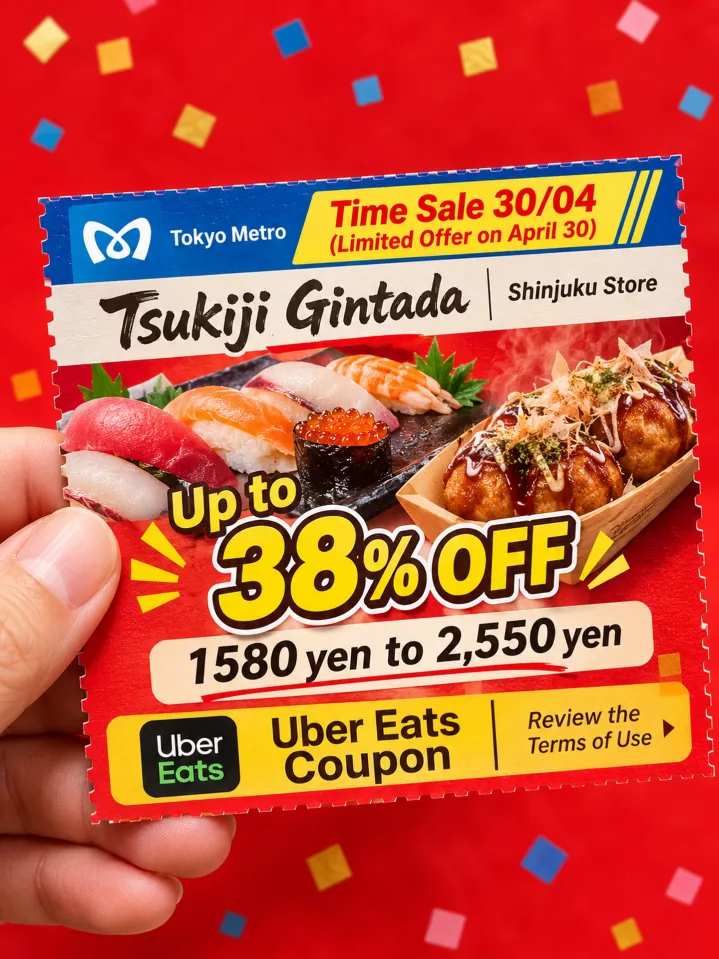
A hand holding a limited-time promotional coupon designed in the style of a Tokyo Metro ticket. Text on the coupon: promotion title "Time Sale 30/04" (Limited Offer on April 30), brand name "Tsukiji Gintada", store address "Shinjuku Store", discount "Up to 38% OFF", price range "1580 yen to 2,550 yen". Images: mouthwatering photos of sushi and takoyaki. Additional text: "Uber Eats Coupon", small print "Review the Terms of Use". Bright red background decorated with small colorful square patterns; lively promotional vibe, all text legible and prominent. Composition: hand appears on the left, coupon is centered in the frame; strong color contrast, soft natural lighting, clearly highlight the coupon text and food texture, photorealistic high definition.
How to: open the image generation page, set the model to “Puyo AI Standard”, enter the prompt, set the ratio to 3:4, the resolution to 2K, and the number of images to 1, then click “Create”.
Here is the finished piece—a vivid red coupon with sushi and takoyaki, the promo theme, discount, and price range all clearly readable, promotional energy maxed out:
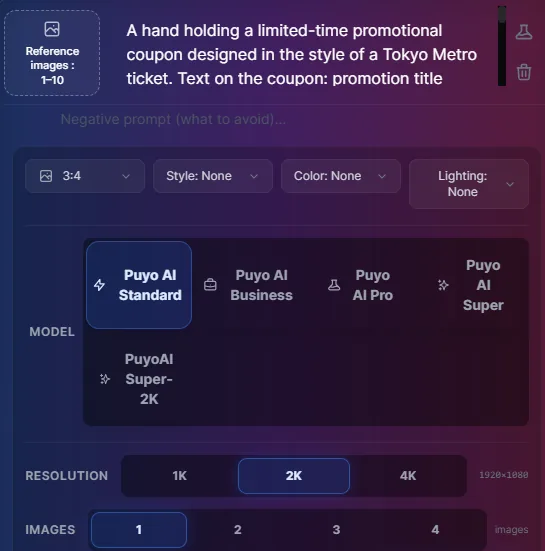
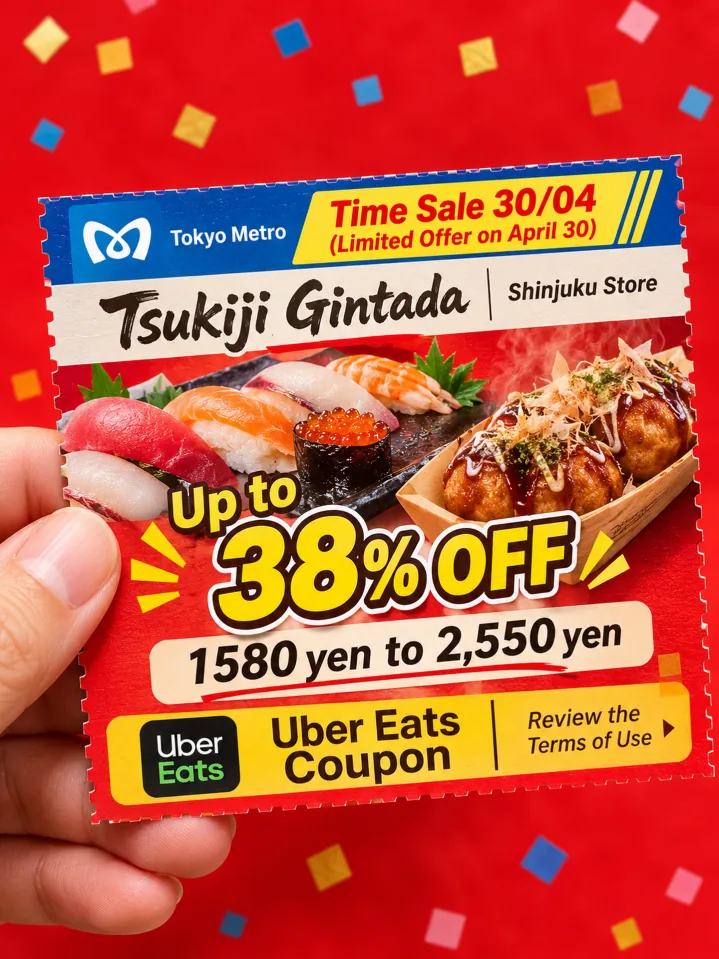
Fig. 1-12 Generating the limited-time promo coupon
Character Breakdown Sheet: Image Upload + Five-Module Decomposition Case
The second case is the character breakdown sheet—turning a character design into a structured diagram. Unlike every case before it, this step requires uploading the reference image first: click the “Upload Image” button to pass in the character artwork, then enter the prompt. The prompt skeleton is five modules: Overall Style Overview, Head Analysis, Outfit Analysis, Prop Analysis, and Style & Scene Notes, each element labeled with descriptive text and paired with a zoomed-in detail inset:
Generate a well-structured, highly detailed character breakdown sheet based on the provided character artwork, with integrated textual descriptions arranged in the following sections: 1. Overall Style Overview, 2. Head Analysis, 3. Outfit Analysis, 4. Prop Analysis, 5. Style & Scene Supplementary Notes. The layout is organized logically. Every design element is clearly labeled with Chinese descriptive text, paired with zoomed-in detail insets to highlight key design features. The breakdown sheet uses clean, simple line art with accurate color reproduction, faithfully preserving the texture and visual characteristics of the original artwork. The final output meets professional standards with strong visual expressiveness, suitable for character design implementation, creative reference and derivative artwork development.
How to: set the model to “Puyo AI Standard”, click “Upload Image” first to pass in the character reference, then enter the prompt; ratio 3:4, resolution 2K, 1 generated image, then click “Create”.
Here is the finished sheet—on the left, the character’s full-body art with a color palette; on the right, head, outfit, props, and scene each zoomed and analyzed module by module, every detail with its descriptive note, ready to use as an official design sheet:
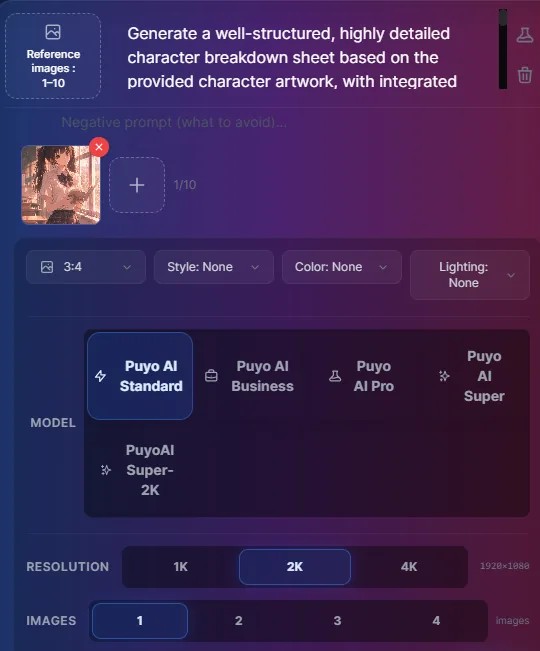
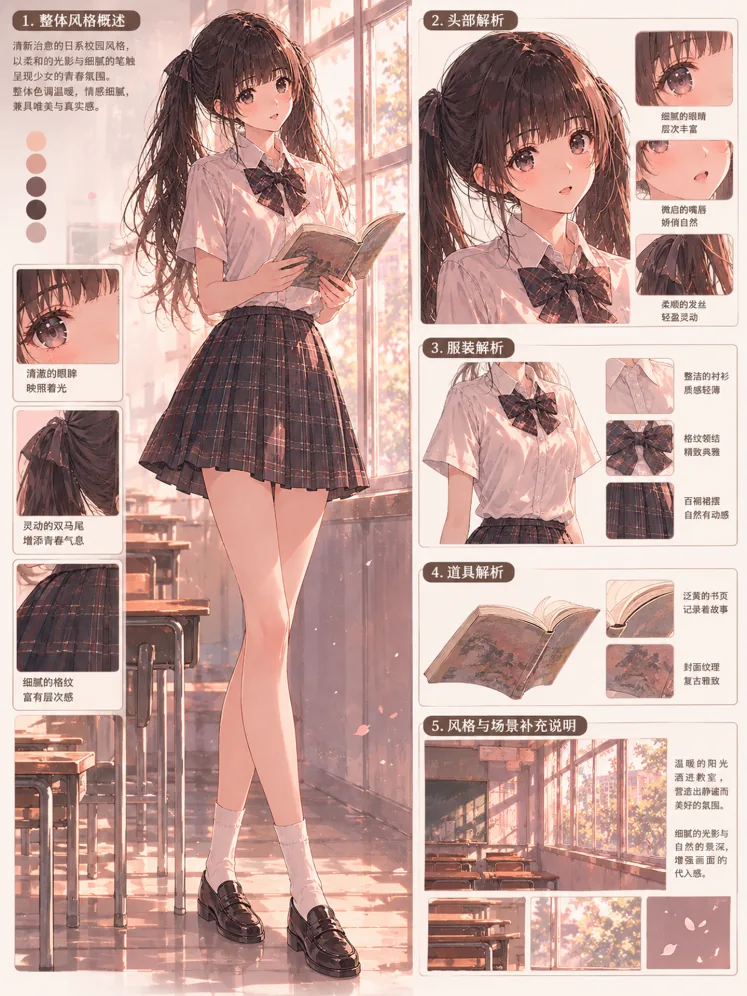
Fig. 1-13 Generating the character breakdown sheet
The General Approach for Everyday Image Requests
Looking back at the pattern: the key to non-standard image requests is writing the “element checklist” into the prompt. The coupon lists coupon info item by item; the character sheet names each decomposition module—the AI never misses what you explicitly list; it only misses what you expect it to guess. List the checklist first, then set the composition, then close with style—that order works for coupons, invitations, menus, posters, and every everyday scenario.
That completes the full chart-making series: capability overview in Why Puyo AI Is Especially Good at Charts, method workflow in Turning a Document into a Chart: A Three-Step Hands-On Tutorial, data scenarios in AI Bar and Pie Chart Prompt Templates, and project scenarios in AI Timeline and Flowchart Prompt Templates—follow these five guides and every request from documents to charts, from data to everyday design can land as a finished image.
FAQFrequently Asked Questions
The questions beginners ask most about this guide
Can the text on the coupon stay sharp and accurate?
The key is listing every piece of information in the prompt. Write the promo theme, brand name, address, discount, price range, and fine print item by item and provide the English source text, and the AI lays them out per item; after generation, zoom in to proof the text, and fix stray characters by editing the prompt and rerunning.
Why must a character breakdown sheet start with an uploaded image?
Its task is to decompose your character. Click the “Upload Image” button first to pass in the character artwork; only then can the AI faithfully preserve the original’s texture and visual qualities and produce the structured five-module breakdown. Without an image it just invents a brand-new character.
Can the five modules of the breakdown sheet be added or removed?
You can adjust the order and content, but keep the structure. Overall Style Overview, Head Analysis, Outfit Analysis, Prop Analysis, and Style & Scene Notes cover the full chain of a character design; characters with weapons or companion creatures can swap in the modules they need while keeping the “module by module + text labels + zoomed details” skeleton.
Why is the ratio 3:4 for both image types?
The use case decides it. Promo coupons and character breakdown sheets are both portrait displays: a coupon face is close to a ticket’s proportions, and a breakdown sheet stacks several modules vertically—3:4 fits both mobile viewing and print; 2K resolution keeps the small text sharp.
Can I use the promo coupon commercially right away?
Check it yourself before commercial use. When AI images go into marketing materials, verify the accuracy of prices, discounts, terms, and other coupon details, and confirm brand names, addresses, and other elements before printing—avoid claims like “up to 38% OFF” mismatching the actual campaign.
Can I adapt these templates without any design background?
Yes. Change three spots to reuse the coupon template: swap the coupon info section for your campaign details, adjust the background colors and decorative elements to your brand tone, and tune the composition notes to the display location. Same for the character sheet: upload a new reference image and keep the five-module skeleton for a new breakdown.
About the Author: Julia, Veteran AI Image Creator
Julia has long used AI image tools for avatars, illustrations, productivity diagrams, and character design, and has coached large numbers of complete beginners. Every case, prompt, parameter, and screenshot in this article comes from real generation records on the Puyo AI platform—not theoretical speculation, not stitched-together stock. This guide closes out the scenario pages of the chart-making series; the full chain from prompt formula to scenario practice has been covered in Parts 7–11.
The content is adapted and polished from the original material “From Novice to AI Art Pro | Complete Hands-On Tutorial Collection”, with all original prompts and figures preserved. Source: https://www.puyoai.com.
Everyday Visuals, One Sentence at a Time
Open the Puyo AI website and upload a character image to try the five-module breakdown.
Results are affected by model version and randomness—the same prompt will vary slightly each time it runs; run it a couple of rounds before drawing conclusions.